
WordPress is very common target for attackers and even the site with no traffic gets attacked at their login pages, though we can easily solve this without any plugin installed in WordPress and without something changing on our server.
Assuming you have connected your site to Cloudflare, if not then I would suggest you do that first.
After Connecting, you will have your domain added to your cloudflare dashboard.
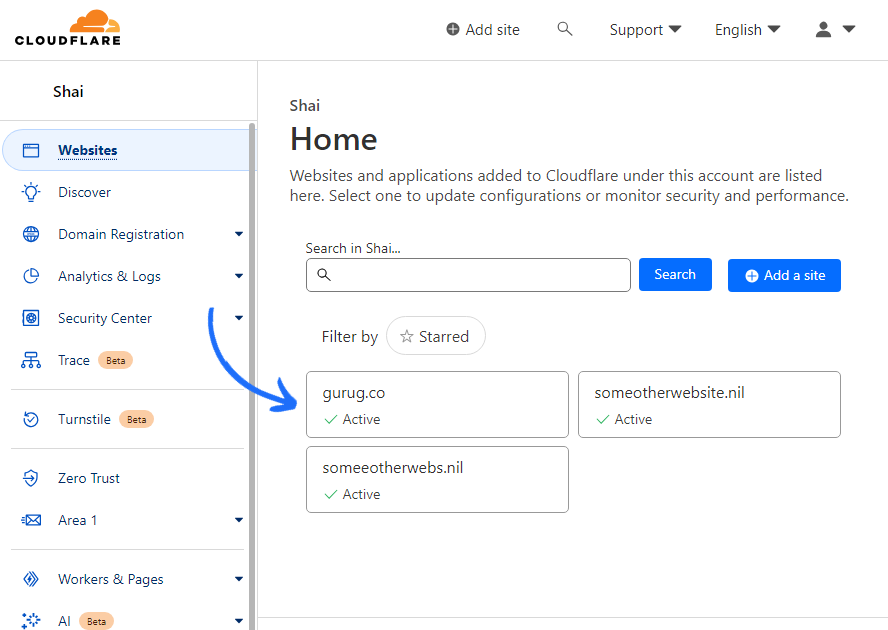
After Clicking on it you will be presented with your website’s overview
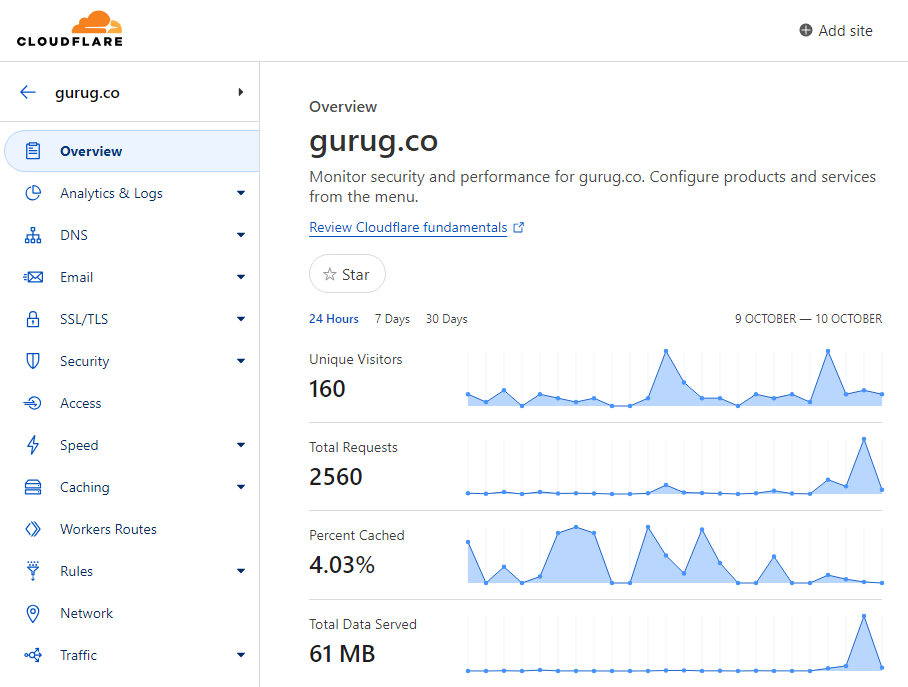
Then you are supposed to go to “Security > WAF” there we will add rules.
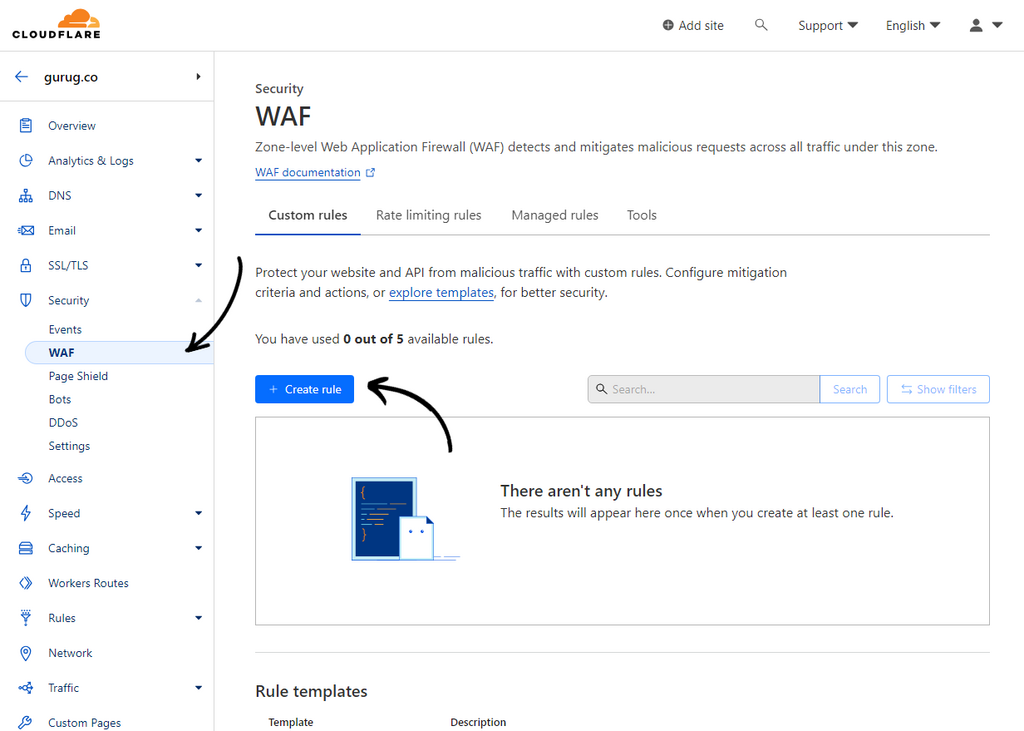
by clicking “+ Create rule” you can create rule that will add a challenge for bots.
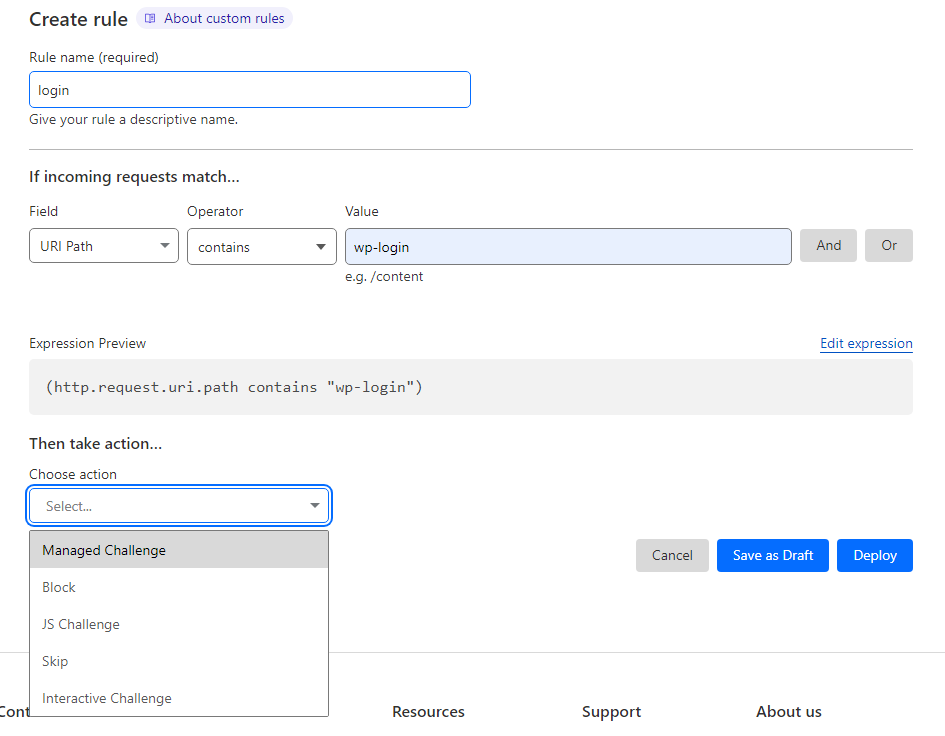
Create Rule with Values shown above in picture,
Field: URI Path
Operator: contain
Value: wp-login
(Note: Change ‘wp-login’ to ‘/’ if you aim to protect your whole site.)
and for ‘action’ choose ‘Managed Challenge‘, if it do not work then go for other options.
And Deploy.
Just that is needed to be done and it will start doing its thing.
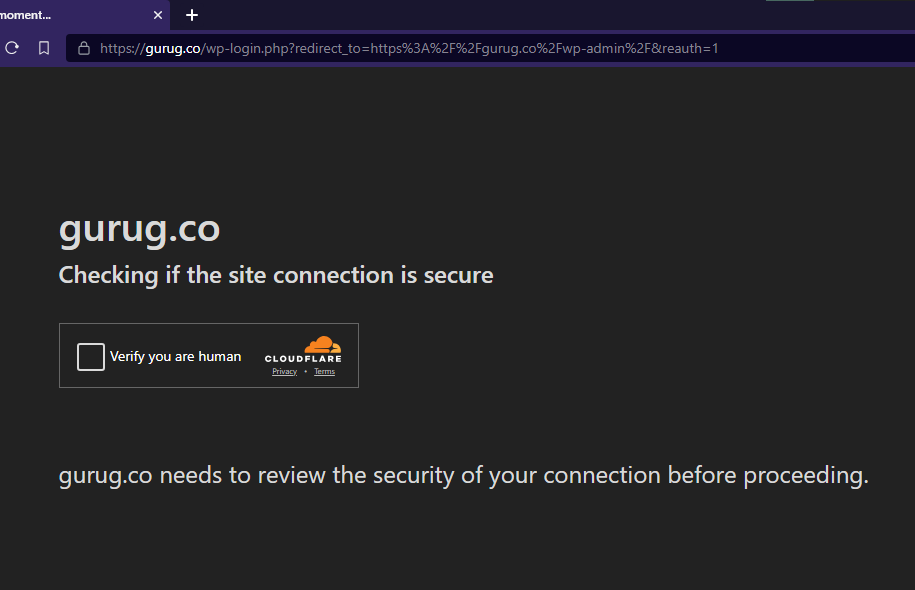
As you can see the URL have ‘wp-login’ in its path and cloudflare posed a challenge for us.
As this rule is applied you will surely see those random login attempts from bots drop to near 0, since bots wont be able to go through the challenge, and your server resources will be used for better.
You can also use those rules for other pages like Contact us page.
Thanks for reading. 🙂